First Steps in Digital Drawing
Want to enter the world of digital drawing but don't know where to start? The following will help with a beginner's first steps in learning digital art, so you can quickly discover the joy of digital creation.

1. Choose the right tools
What a digital drawing beginner needs most is the right set of tools. Start by choosing a drawing tablet or pen tablet. Entry-level products such as the Wacom Intuos, the XP-Pen Deco series, or Huion are recommended — these digital drawing tools are simple to operate and reasonably priced, making them well suited to beginners. When choosing a tablet, pay attention to its size: generally, a medium-sized tablet offers a better drawing experience — not so small that it limits detail work, and not so large that it becomes hard to carry.
Next, choose suitable digital drawing software. There are many options on the market, such as Photoshop, Clip Studio Paint, Procreate, and Krita. Each drawing program has its own strengths, for example:
Photoshop: full-featured, suited to complex image editing and a wide variety of creative needs.
Clip Studio Paint: designed for comics and illustration, with rich brush and line tools.
Procreate: for iPad, with a simple interface, great for creating anytime, anywhere.
Krita: free open-source software that is feature-rich and easy to learn.
Try them out first and find the tool that best fits your needs. Beginners can start with relatively simple software and consider more advanced tools as familiarity grows.
2. Learn basic drawing concepts

To improve your digital drawing skills, basic drawing concepts are indispensable. First comes color theory — understanding color combinations and how light and shadow behave will make your work look more three-dimensional. Start with the color wheel and learn about complementary colors, analogous colors, and color psychology; these concepts will help you create more appealing work.
Second, practice basic line control, which is essential for hand stability and getting familiar with digital brushes. Start with simple exercises such as drawing straight lines and circles, then gradually increase the difficulty to make your hand control more precise. Try different brushes to experience various line effects and find the style that suits you best.
In addition, understanding shape and proportion is fundamental to learning digital art. Learning to break complex objects down into simple geometric shapes — circles, squares, and ellipses — helps you better grasp structure and perspective. For character drawing, familiarity with human proportions and movement is very important; anatomy references and books on dynamic figure drawing are well worth studying.
3. Get familiar with your drawing software
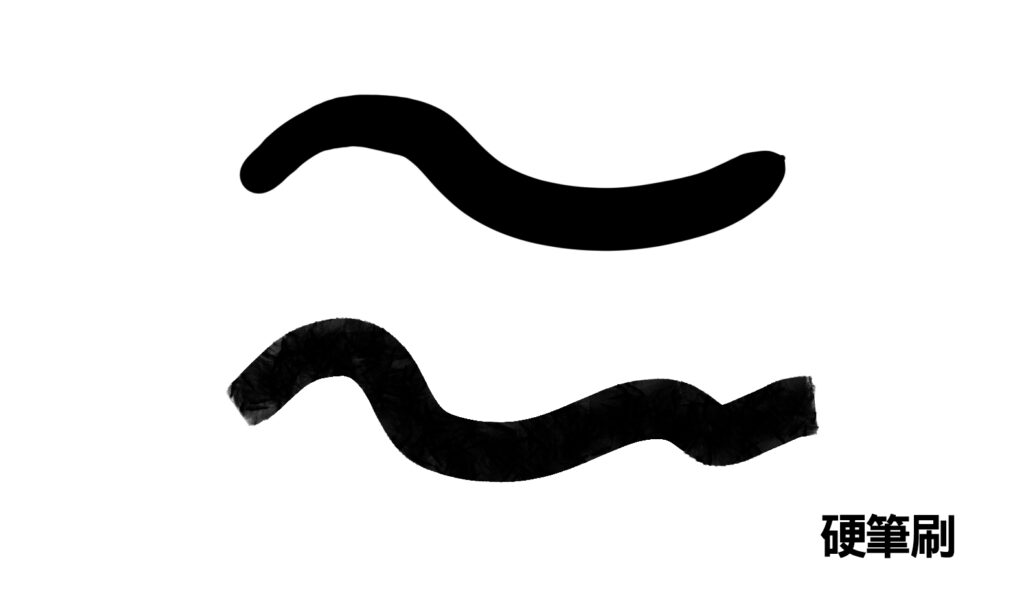
Becoming comfortable with your digital drawing software is an important step into digital art. Learn to use different types of brushes and customize their settings to match your style. For illustration-style work, you might prefer harder brushes that emphasize clean lines, while for an oil painting style you can choose brushes that simulate oil paint.
Mastering layer management is also crucial. Layers let you control each element flexibly — for example, painting the background, character, and details separately — so elements don't interfere with each other and revisions become more efficient. Beginners can start with simple layer workflows, such as separating background and subject, then gradually learn more layer features like clipping masks, adjustment layers, and blending modes.
At the same time, don't overlook keyboard shortcuts. Mastering your software's shortcuts significantly improves efficiency — common ones include undo (Ctrl+Z) and zoom (Ctrl+Plus/Minus). You can also customize shortcuts to fit your needs, making operations smoother and speeding up your drawing.
4. Find learning resources
There are now many free and paid learning resources online, such as tutorial videos on YouTube and various online course platforms offering complete curricula. WeiChen Studio 維真電繪筆記 provides professional, systematic instruction, from basic tool operation to advanced creative techniques; the courses are taught primarily in Chinese, with English subtitles available for learning. Beyond online courses, joining an online community (such as a Discord server or Facebook group) is another great way to exchange ideas with other digital art enthusiasts, share work, and get advice — very important for beginners to stay motivated.
5. Practice and create, again and again
The most important part of learning digital drawing is hands-on practice. Try to spend some time every day practicing lines, coloring, or studying works you love. Master studies are a highly effective learning method — through them you can learn the composition and color choices of excellent work while gradually forming your own style.
Trying challenge-based creation is another effective approach — for example, joining monthly drawing challenges (such as Inktober or Draw This In Your Style). These not only sharpen your skills but also bring you into drawing communities where you can gather feedback and inspiration.
Only through continuous creation can you truly improve your digital painting technique. Don't chase perfection early on; what matters is to keep experimenting, keep learning, and find the fun in it. Whether you're just getting started with digital drawing or want to go deeper into creative techniques, learn step by step and keep practicing, and your dream of becoming a digital illustrator can absolutely come true!
Final Thoughts
Only through continuous creation can you truly improve your digital painting technique. Don't chase perfection early on; what matters is to keep experimenting, keep learning, and find the fun in it. Whether you're just getting started with digital drawing or want to go deeper into creative techniques, learn step by step and keep practicing, and your dream of becoming a digital illustrator can absolutely come true! If you'd like to learn more, check out our other articles or join our free drawing classes!
We hold free seminars every week — you're welcome to reserve a spot in a free livestream lecture. It should give anyone hoping to improve in these areas a much clearer learning direction!
Tap here to join our official LINE account and book a class
If you have any questions, feel free to ask in our Discord server!
Tap here to join the WeiChen Studio community Discord